

Introduction
On July 3rd 2024 we released a new ID format for backup buckets at AWS s3, Backblaze B2, and Wasabi. This change was introduced to ensure that you can easily re-add credentials to a website again if you disable them for any reason, or add new API credentials and continue using the same bucket.
This article details when you may need to use the legacy format in the future when attaching a remote storage option to your websites.
Backup Bucket UUID Formatting
GridPane’s bucket naming convention has evolved over time. The format used depends on when the remote storage integration was first configured on a given website.
Format 1 — Legacy (pre-July 2024)
For all remote backups configured before July 3rd 2024, the bucket name follows this format:
gridpane-backups-${UUID}In this case, configured specifically means adding a remote backup provider to a website, not simply modifying the purge options, or storage threshold settings, etc of an already configured website.
This has no effect on the backups taking place on these sites, and they will continue to work as normal.
Format 2 — Standard (July 2024 – 2025)
From July 3rd 2024, each new remote storage integration used an updated format that incorporated a partial hash of the API secret key alongside the server UUID:
gridpane-backups-${secretkey_md5_hash_partial}-${UUID}Where secretkey_md5_hash_partial is the first 8 characters of the lowercase MD5 hash of the secret key.
This improved on the legacy format by making bucket names unique per credential set, preventing collisions when the same server used multiple different API keys.
However, it also introduced two limitations: the bucket name was tied to the specific secret key, meaning that rotating credentials would produce a different bucket name and lose access to existing backups; and because the region was not included in the name, using the same credentials with different regions on the same server would resolve to the same bucket name, causing access errors.
Format 3 — Current (2025 onwards)
The current format resolves both limitations of Format 2. Bucket names are now derived from a hash of the region, a hash of the provider account’s user ID (a stable identifier that does not change when credentials are rotated), and the server UUID.
AWS S3 and Wasabi:
gridpane-${region_hash}-${account_id_hash}-${UUID}Backblaze B2 (region-less — B2 does not scope buckets by region):
gridpane-${account_id_hash}-${UUID}Format breakdown:
region_hashis the first 7 characters of the SHA-256 hash of the region string (e.g. us-east-1)account_id_hashis the first 8 characters of the SHA-256 hash of the provider account’s user ID, retrieved directly from the provider API at the time the integration is configured
This format offers three concrete improvements over Format 2:
1. Key Rotation Safety
Because the bucket name is derived from the account user ID rather than the secret key, rotating your API credentials will not change the bucket name. Your existing backups remain accessible after a key rotation without any manual intervention.
2. Region Isolation
The region hash is part of the bucket name, so adding the same credentials with a different region on the same server creates a distinct, separate bucket scoped to that region. This eliminates the 403 Forbidden errors that could occur under Format 2 when the same credentials were used across multiple regions.
3. No Credential Data in Resource Names
Format 2 embedded a derivative of the secret key directly in an externally visible bucket name. Format 3 uses only stable, non-secret account identifiers, which is a better security posture.
When Should You Use the Legacy Format?
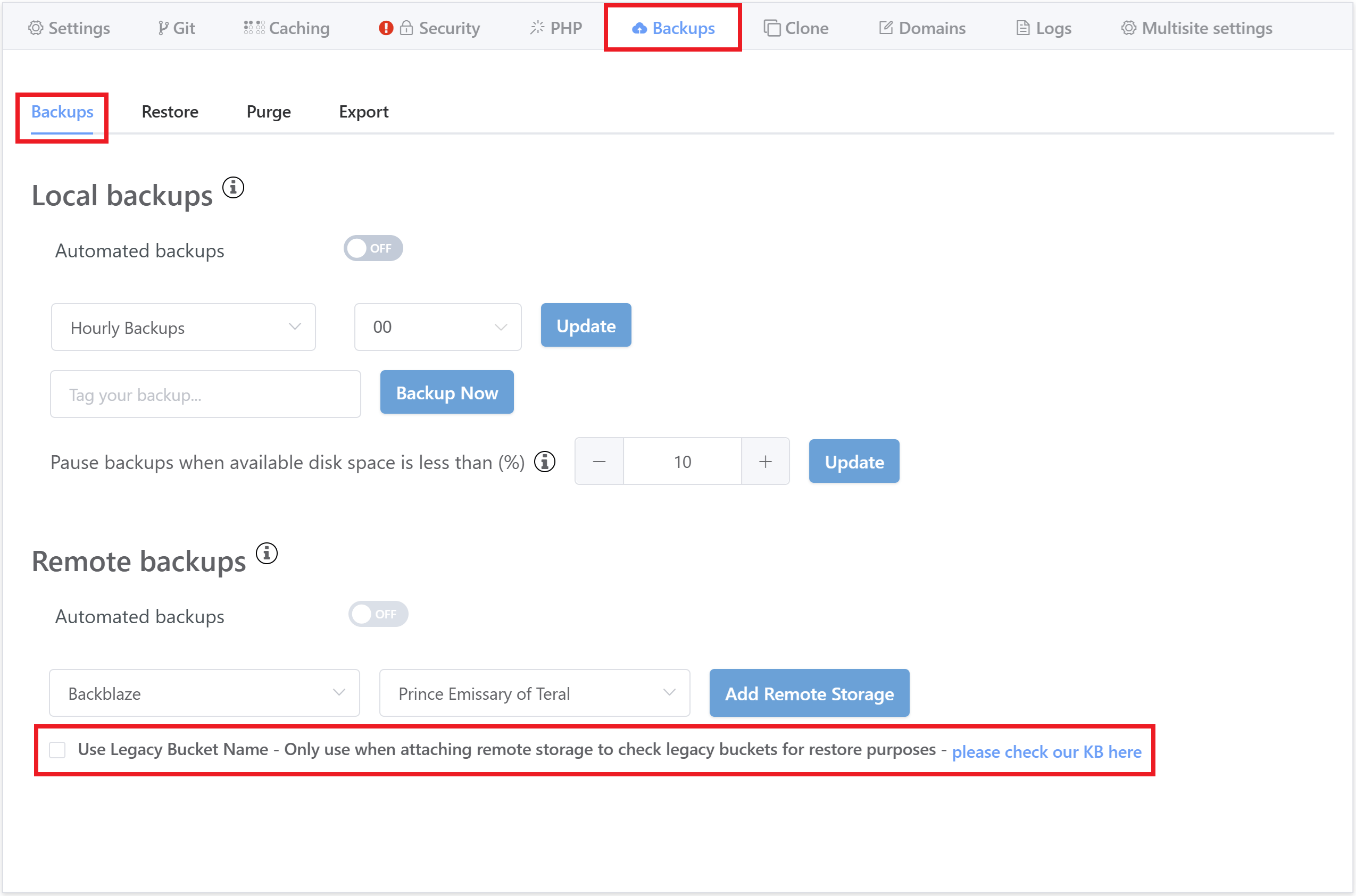
The legacy format can be used via a simple checkbox when configuring your remote backup options for a website. This should only be used in the following use cases:
- If you want to restore a backup from an alternative source taken using the older, now legacy format.
- You want to check what backups are available from the past, taken using the legacy format.
- You’re re-adding the same keys back after removing them for any reason.
Migration and Backward Compatibility
Existing integrations using Format 1 or Format 2 bucket names are not affected by this change and will continue to work as normal. GridPane’s scripts automatically detect which format a server’s existing bucket uses and connect to it accordingly.
When re-adding an integration on a server that already has a Format 2 bucket, the scripts will detect and reconnect to the existing bucket. Only entirely new integrations — where no existing GridPane bucket is found for the server — will be created using the Format 3 naming convention.
Information
The "legacy" checkbox in the UI refers specifically to Format 1 (pre-July 2024). Format 2 buckets are handled automatically by the detection logic and do not require any manual selection.